From Feature-Heavy to Actually Useful

May - December 2025

4 Designers & 1 Product Manager

UX/UI Design Intern

overview

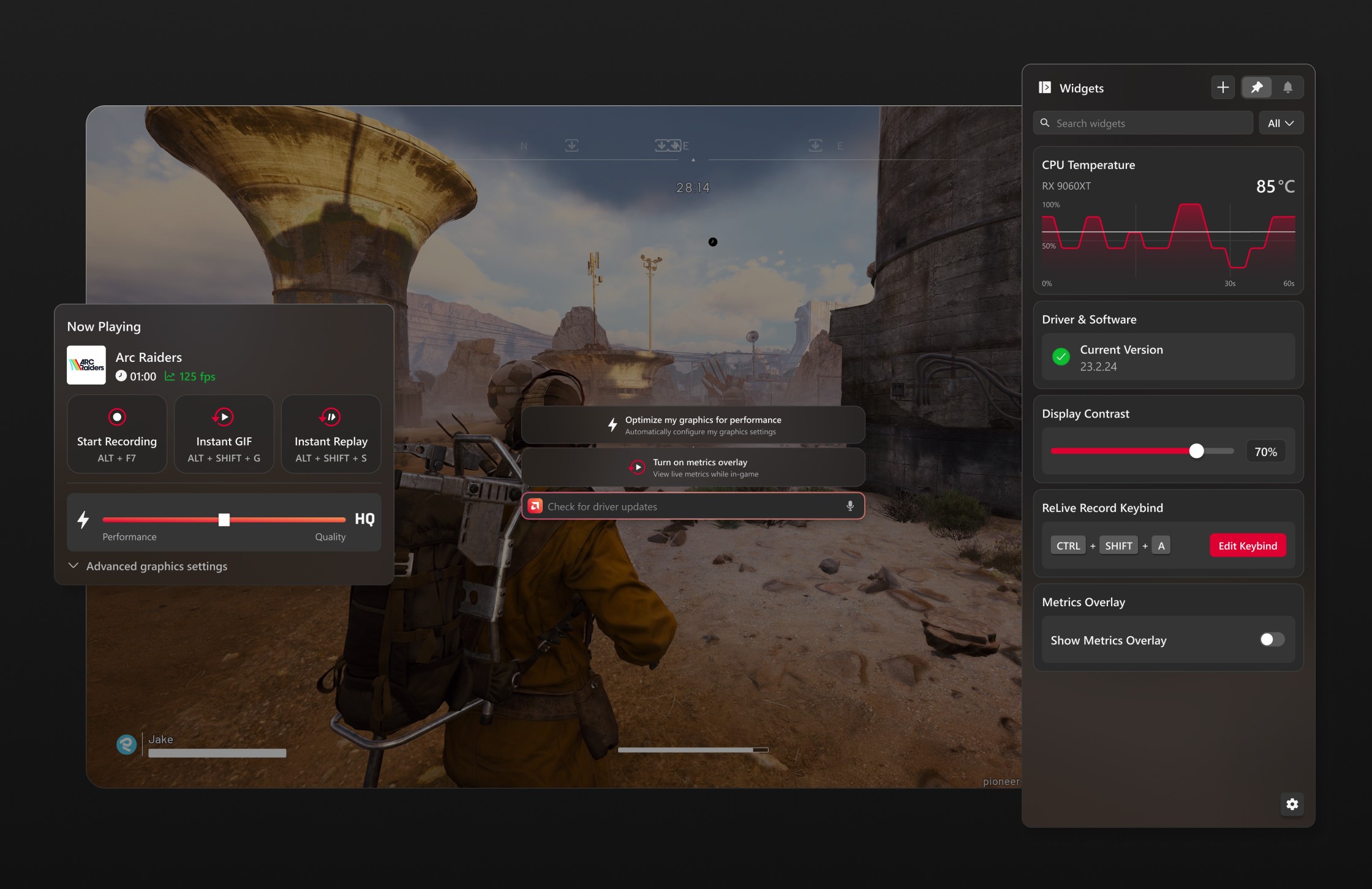
In the summer of 2025, I joined AMD as a UX design intern — landing on one of the biggest redesigns AMD Software had seen in years. AMD Software is a desktop app used by millions of gamers and power users to manage GPU performance, record gameplay, and monitor their system in real time. After years without a major refresh, the team committed to rebuilding it from the ground up.

My focus was the Overlay View, a lightweight interface that sits on top of any application, designed for quick in-session control without breaking your flow.

In the summer of 2025, I joined AMD as a UX design intern — landing on one of the biggest redesigns AMD Software had seen in years. AMD Software is a desktop app used by millions of gamers and power users to manage GPU performance, record gameplay, and monitor their system in real time. After years without a major refresh, the team committed to rebuilding it from the ground up.

My focus was the Overlay View, a lightweight interface that sits on top of any application, designed for quick in-session control without breaking your flow.

problem space

Metrics without action.

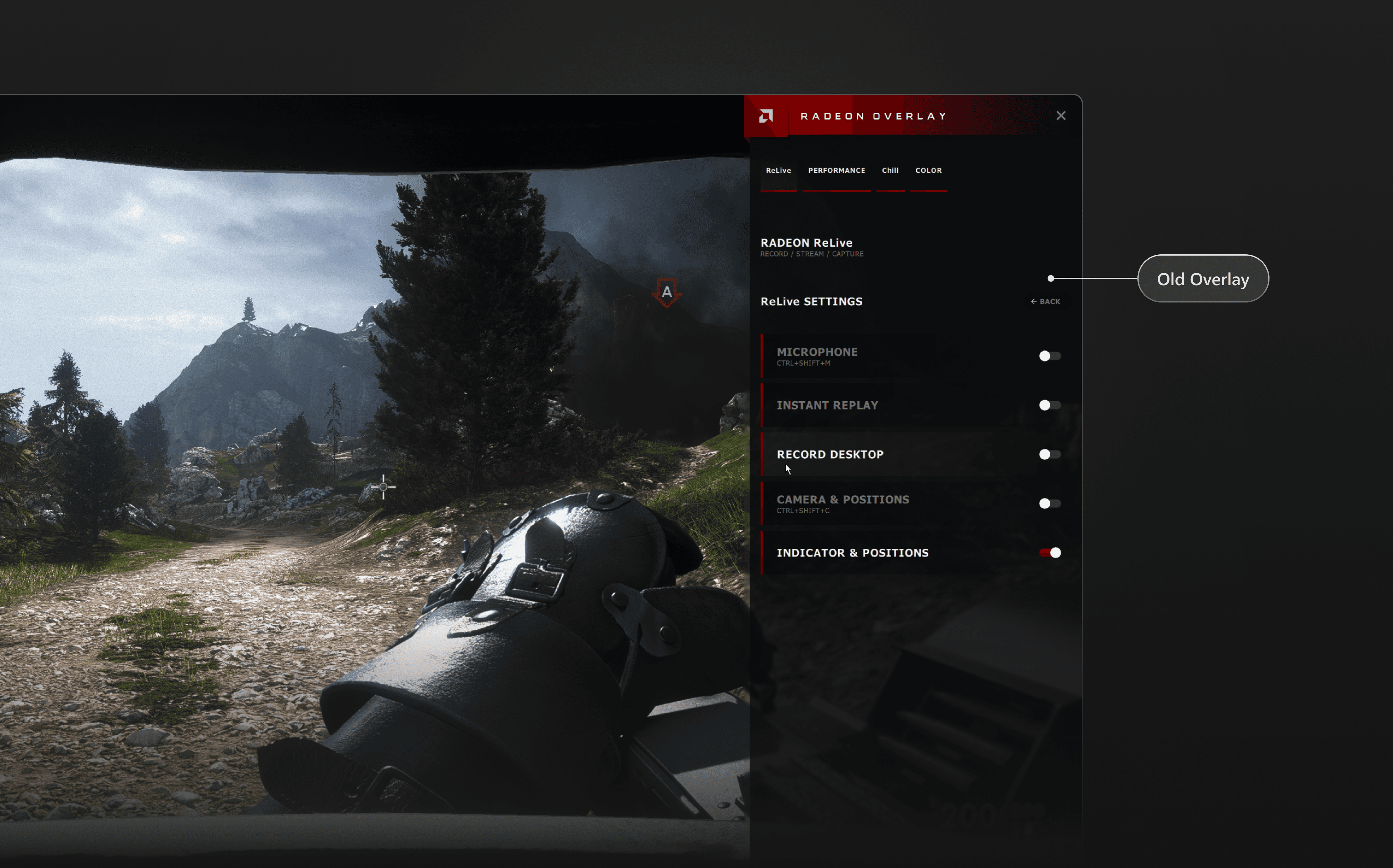
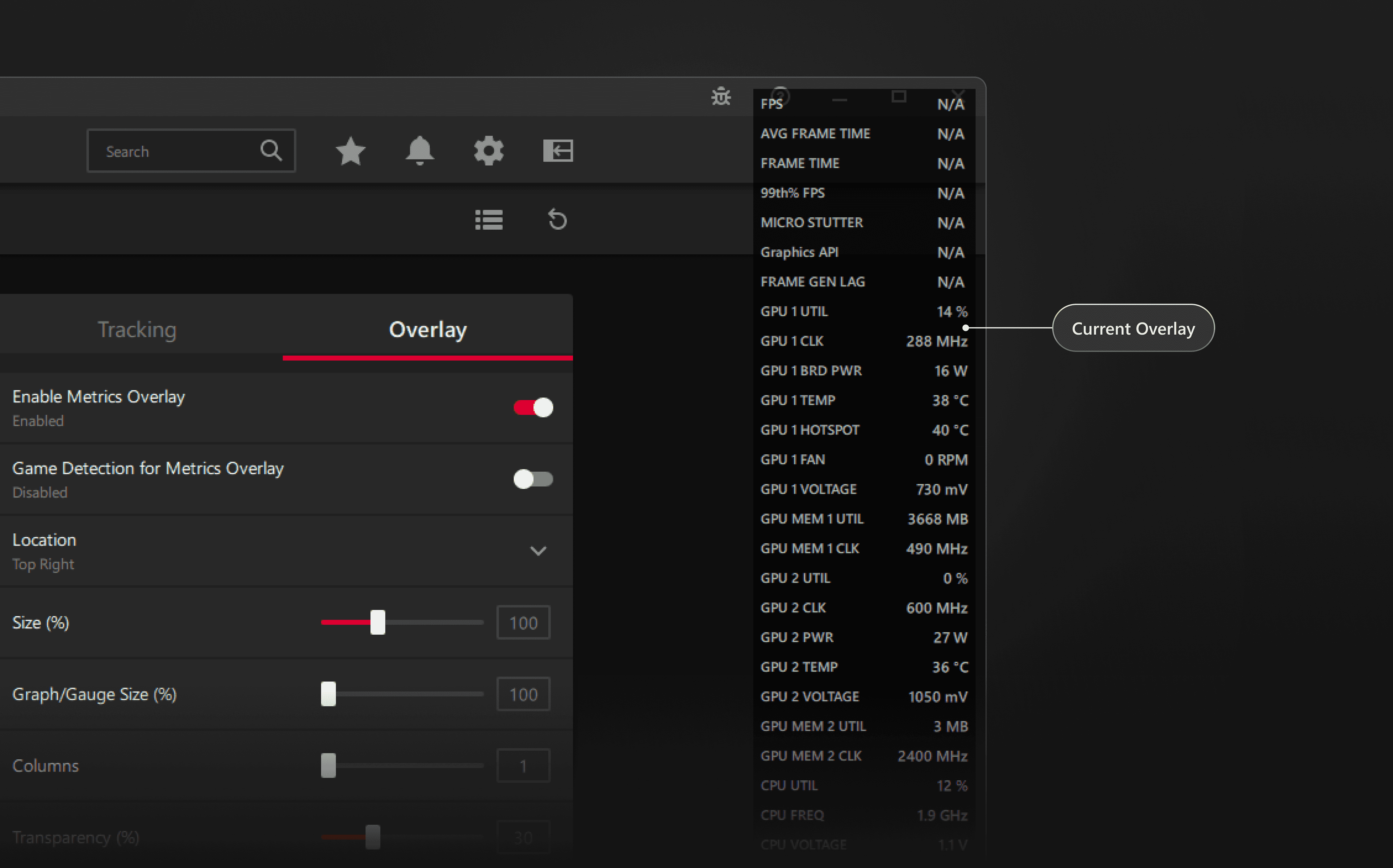
The overlay existed purely to surface system metrics like frame rate, GPU temp, and memory usage, but stopped there. If you wanted to actually change something, you had to leave what you were doing, open the full app, and navigate through panels. For users mid-game, that friction was a dealbreaker.

The overlay existed purely to surface system metrics like frame rate, GPU temp, and memory usage, but stopped there. If you wanted to actually change something, you had to leave what you were doing, open the full app, and navigate through panels. For users mid-game, that friction was a dealbreaker.

Core problem 1.1 - current overlay

the goals

The reframe that changed everything.

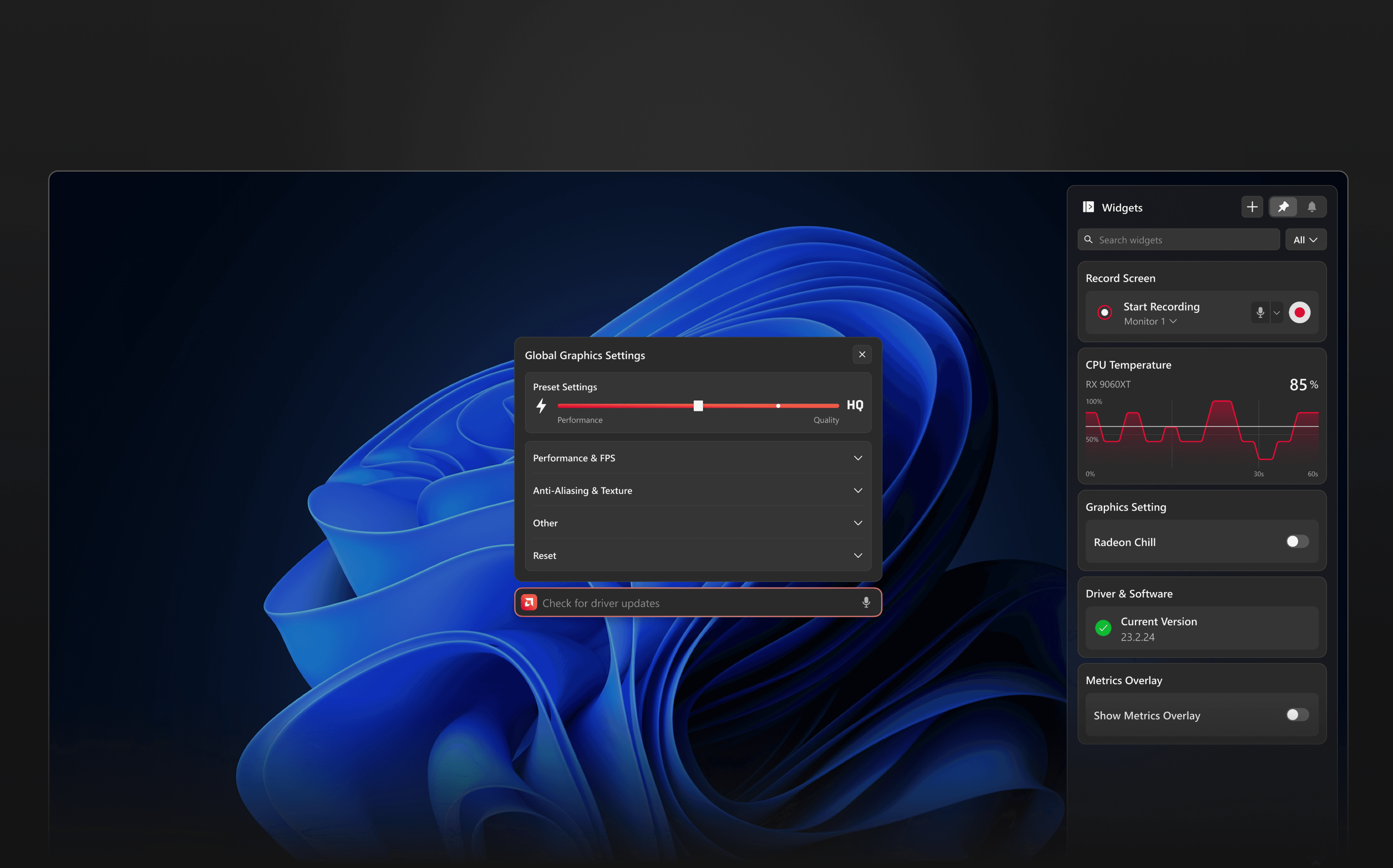
The overlay needed to evolve from something you glance at into something you act through. That meant rethinking the interaction model entirely and finding a role for AI that actually made sense in a fast, compact space.

The overlay needed to evolve from something you glance at into something you act through. That meant rethinking the interaction model entirely and finding a role for AI that actually made sense in a fast, compact space.

Overlay View (extension)

Lightweight interface that provides quick, in-context access to system information and controls.

Lightweight interface that provides quick, in-context access to system information and controls.

Full View

Primary application interface that provides comprehensive access to advanced settings,

Primary application interface that provides comprehensive access to advanced settings,

Solution: THE new INTERACTION MODEL

From just conversation to actionable output.

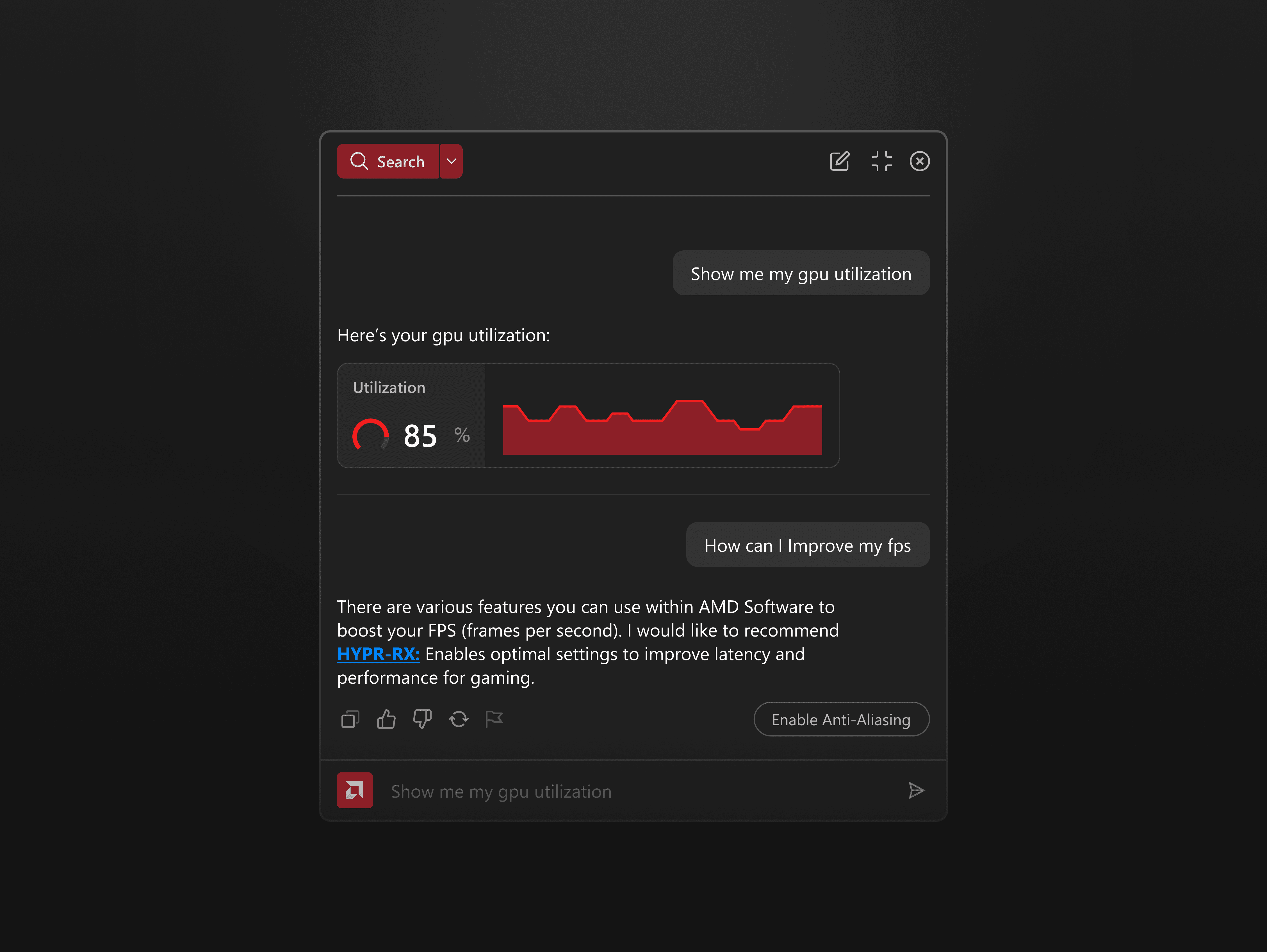
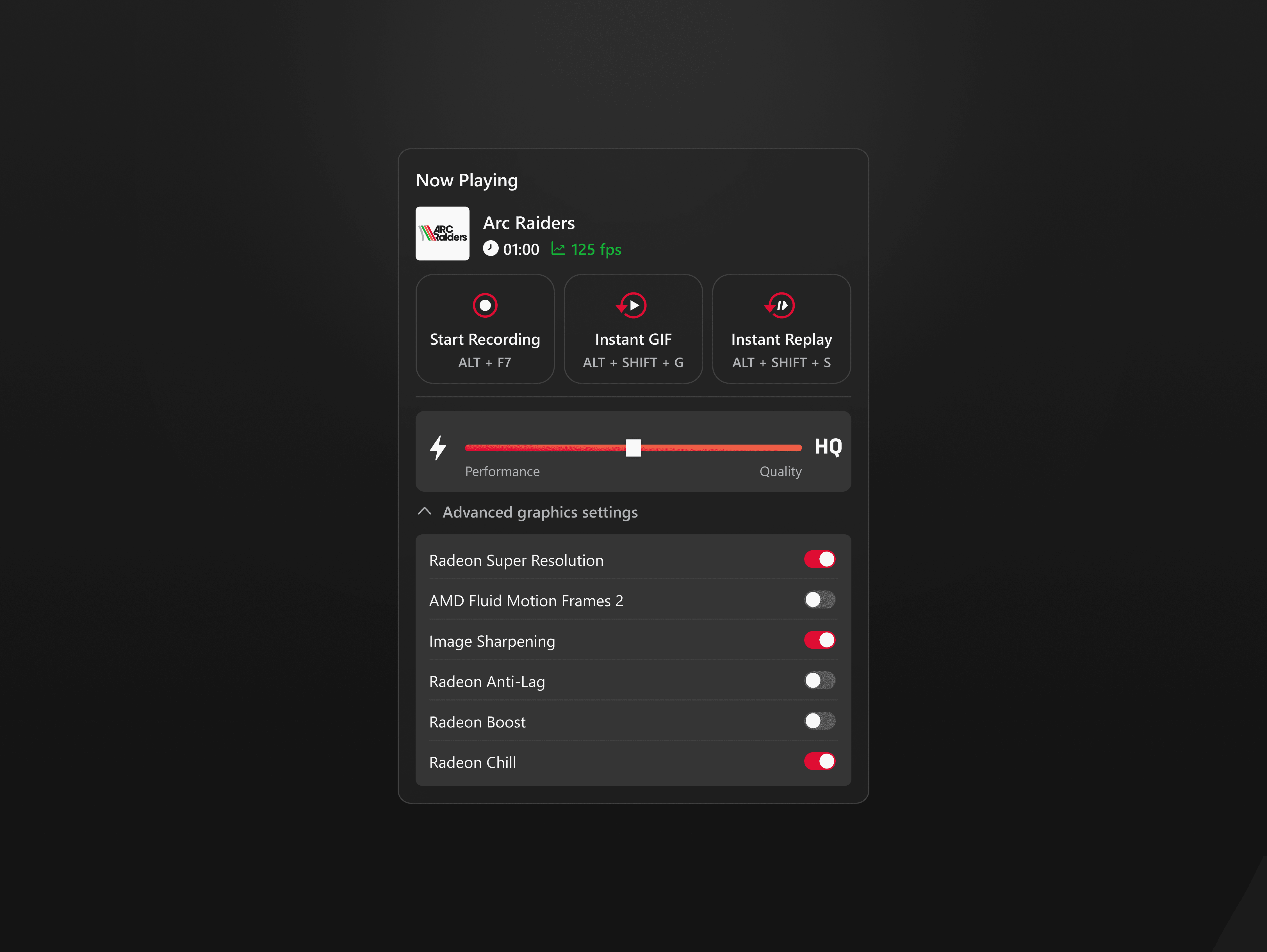
I embedded a conversational AI assistant directly into the overlay where each prompt delivers one structured, outcome-focused response. When a user asks about a setting or feature, the AI generates a pinnable widget as its output, turning the response into a persistent, actionable control right inside the overlay.

I embedded a conversational AI assistant directly into the overlay where each prompt delivers one structured, outcome-focused response. When a user asks about a setting or feature, the AI generates a pinnable widget as its output, turning the response into a persistent, actionable control right inside the overlay.

Solution 1.1 - chatbot interaction

Keeping what matters within reach.

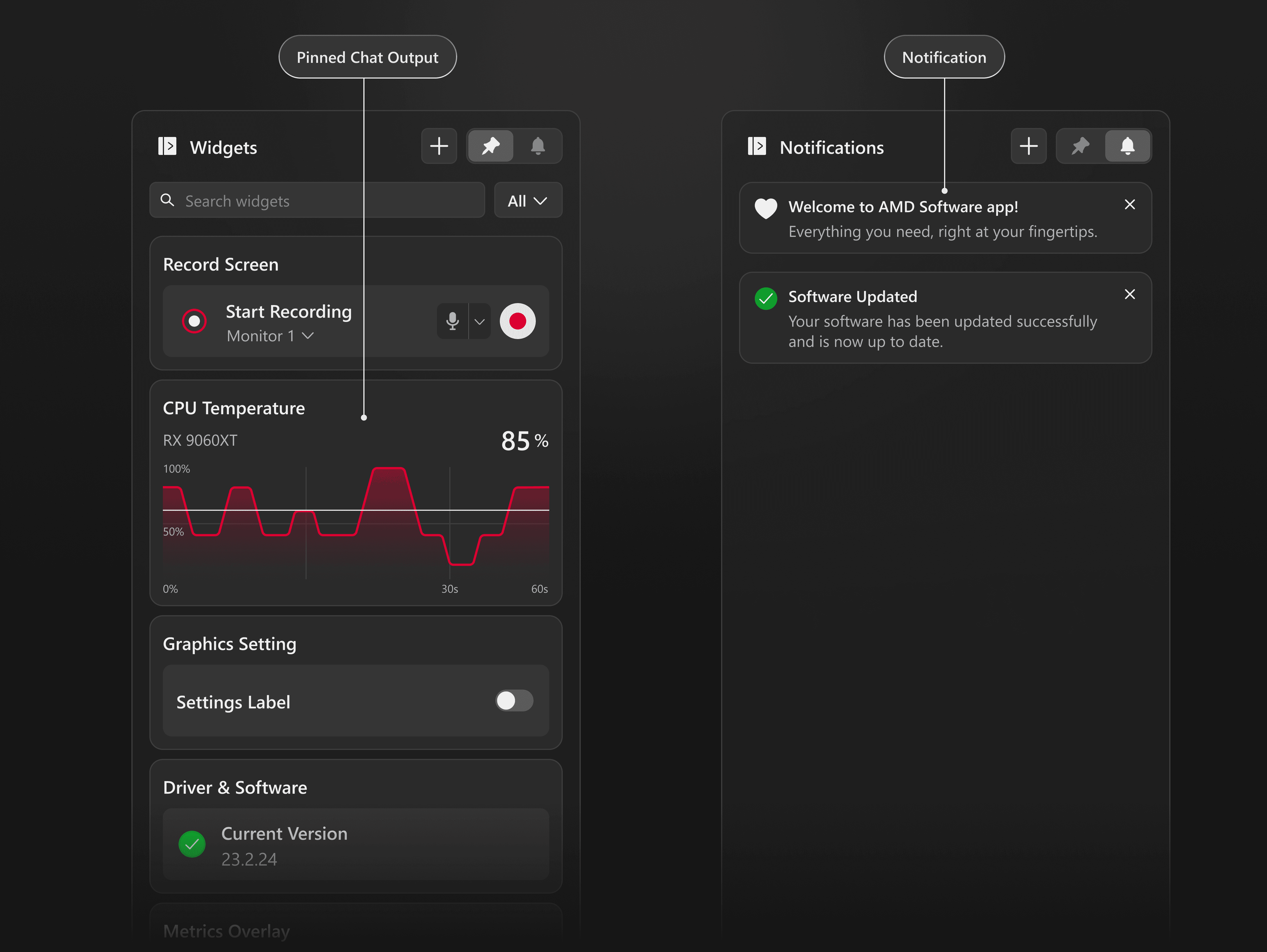
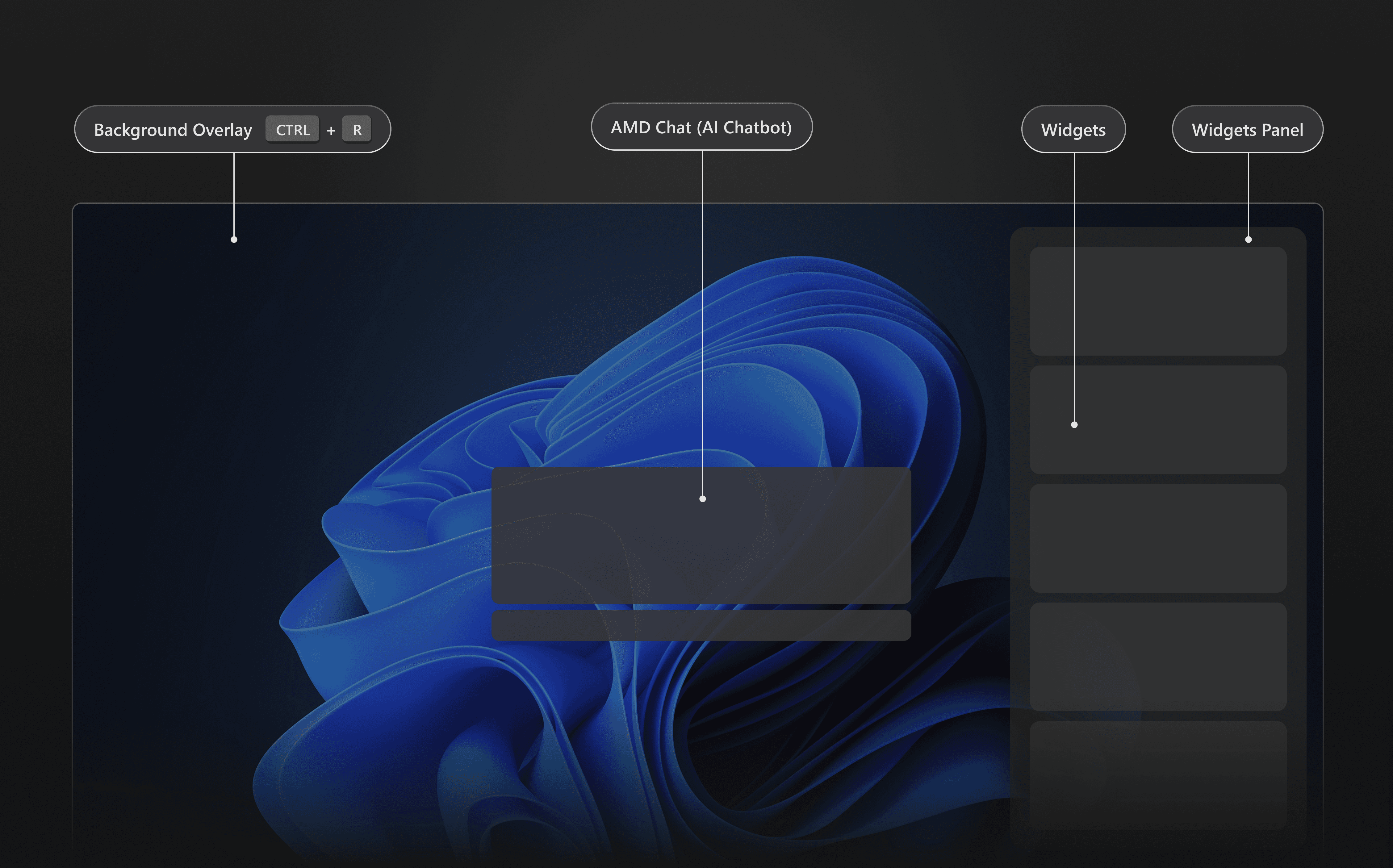
Pinned widgets live in a dedicated panel that stays accessible every time the overlay opens, keeping the most important controls always within reach.

Pinned widgets live in a dedicated panel that stays accessible every time the overlay opens, keeping the most important controls always within reach.

Solution 1.2 - pinned widgets panel

User-controlled customization.

Beyond pinning chat outputs, I designed the overlay to let users add widgets manually, giving them the flexibility to tailor the experience to their own needs rather than relying only on AI suggestions.

Beyond pinning chat outputs, I designed the overlay to let users add widgets manually, giving them the flexibility to tailor the experience to their own needs rather than relying only on AI suggestions.

Solution 1.3 - manually adding widgets

Slash command for quick shortcuts.

Slash commands are shortcuts that start with “/” and act as a central hub for interacting with the AI assistant, helping users discover and access the full range of available actions and requests in one place.

Slash commands are shortcuts that start with “/” and act as a central hub for interacting with the AI assistant, helping users discover and access the full range of available actions and requests in one place.

Solution 1.4 - slash command

Solution: Supporting key features

Screen recording & in-game support.

Screen recording and performance adjustments, two of AMD's most-used features, were surfaced directly in the overlay. No more navigating the full app mid-session.

Screen recording and performance adjustments, two of AMD's most-used features, were surfaced directly in the overlay. No more navigating the full app mid-session.

Key features 1.1 - screen recording through overlay

Key features 1.2 - one-click performance adjustment

THE BIGGER PICTURE

What's next for AMD Software ?

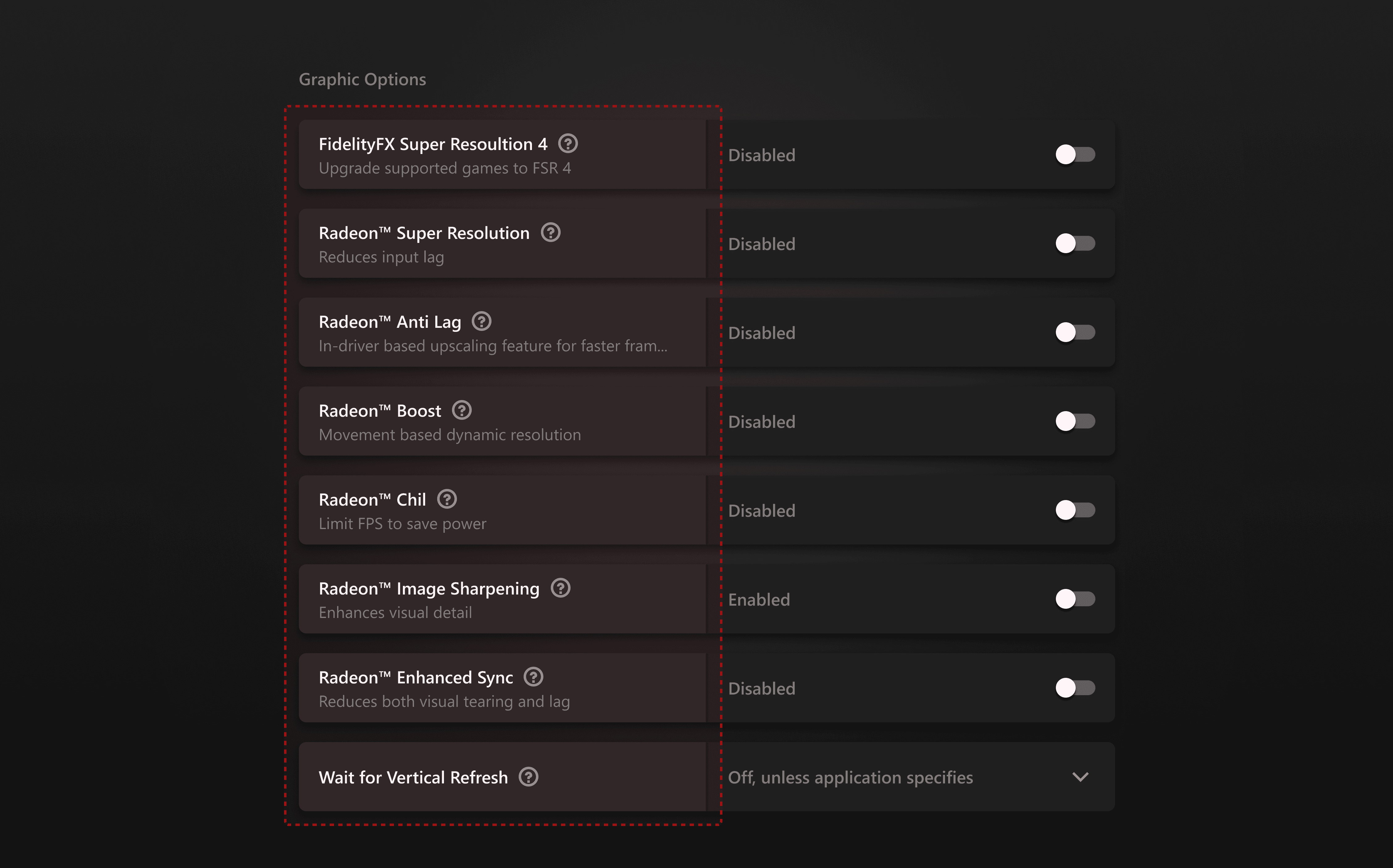
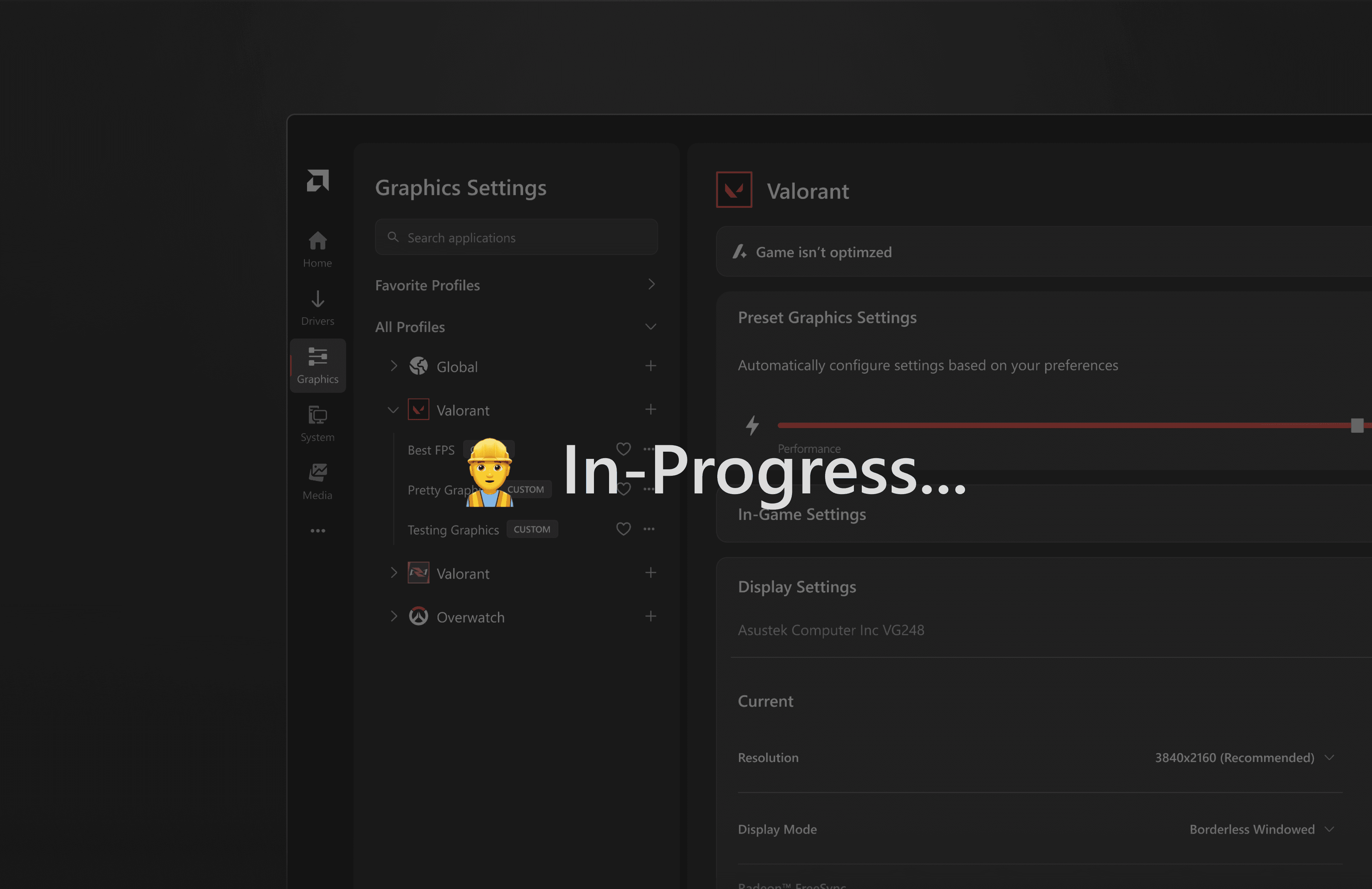
While the engineering team prepared the back-end foundation for the overlay view, the design team continued developing concepts for the Full View. The Full View remains essential for deeper configuration and long-term control. Redesigning it ensures users can clearly understand, explore, and manage more complex settings, making it a critical foundation for the overall AMD Software experience.

While the engineering team prepared the back-end foundation for the overlay view, the design team continued developing concepts for the Full View. The Full View remains essential for deeper configuration and long-term control. Redesigning it ensures users can clearly understand, explore, and manage more complex settings, making it a critical foundation for the overall AMD Software experience.

coming soon…

Retrospective

What I learned.

  • Alignment with PM is key!

    Our ability to move quickly came from staying closely aligned with the product manager throughout ideation.

  • Not Everyone Is a Tech Wizard

    Always put ourselves in the boots of casual users because not everyone has the same level of technical knowledge or patience when navigating complex software.

  • Alignment with PM is key!

    Our ability to move quickly came from staying closely aligned with the product manager throughout ideation.

  • Not Everyone Is a Tech Wizard

    Always put ourselves in the boots of casual users because not everyone has the same level of technical knowledge or patience when navigating complex software.

Retrospective

What I learned.

  • Alignment with PM is key!

    Our ability to move quickly came from staying closely aligned with the product manager throughout ideation.

  • Not Everyone Is a Tech Wizard

    Always put ourselves in the boots of casual users because not everyone has the same level of technical knowledge or patience when navigating complex software.

" The art challenges the technology and the technology inspires the art"

— John Lasseter

" The art challenges the technology and the technology inspires the art"

— John Lasseter